LP-9
A functional Smalltalk with actors, for writing desktop business screens
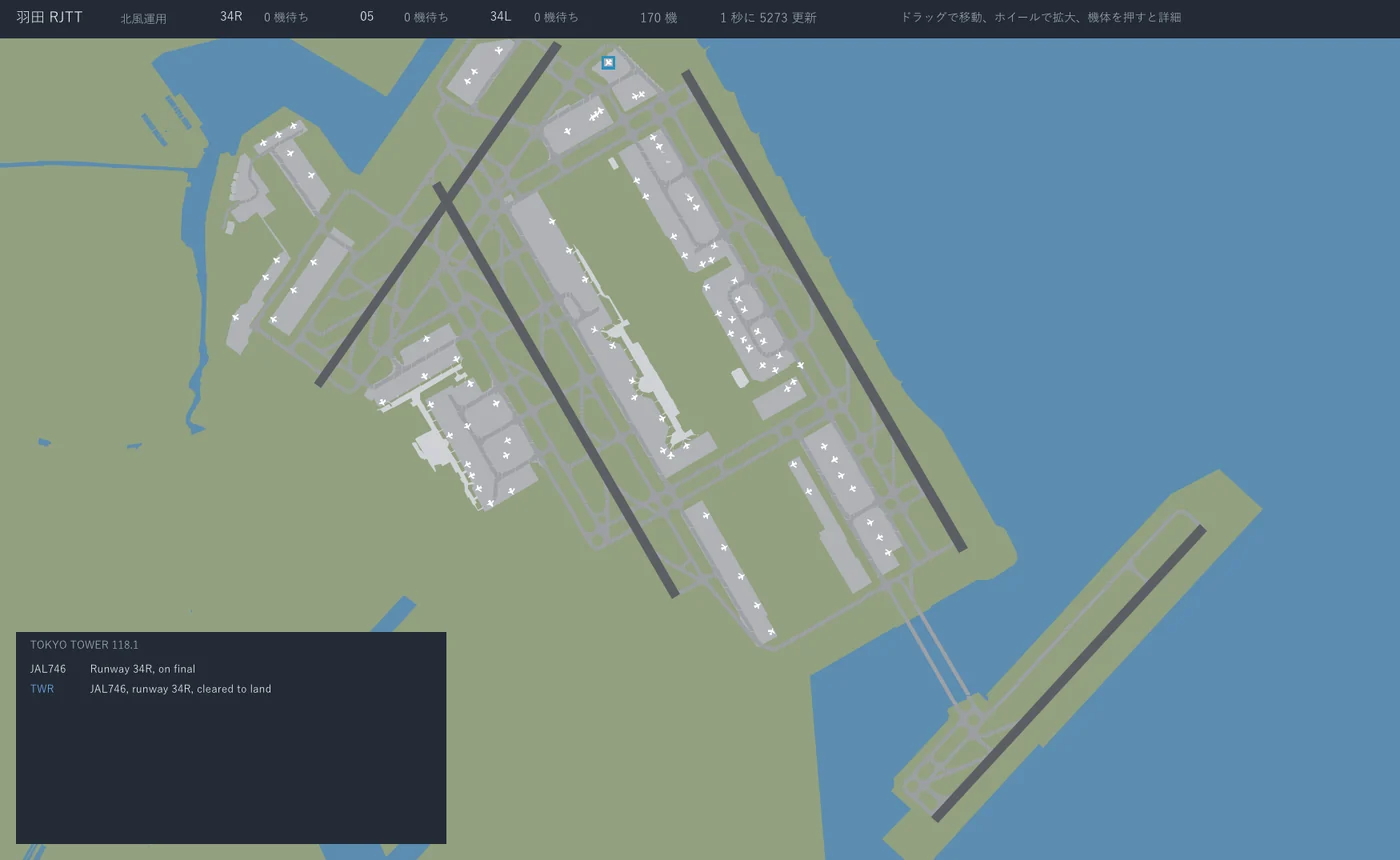
LP-9 is a language for writing screens that run on the Windows and Linux desktop: lists of orders and order entry, details and saving, monitoring walls, things moving on a map, tools that sit in the tray. Business screens and screens that keep moving every frame are written the same way.
The picture above is the Haneda airport screen that ships with LP-9. How it works is explained part way down this page.
Business Screens, Written as They Are
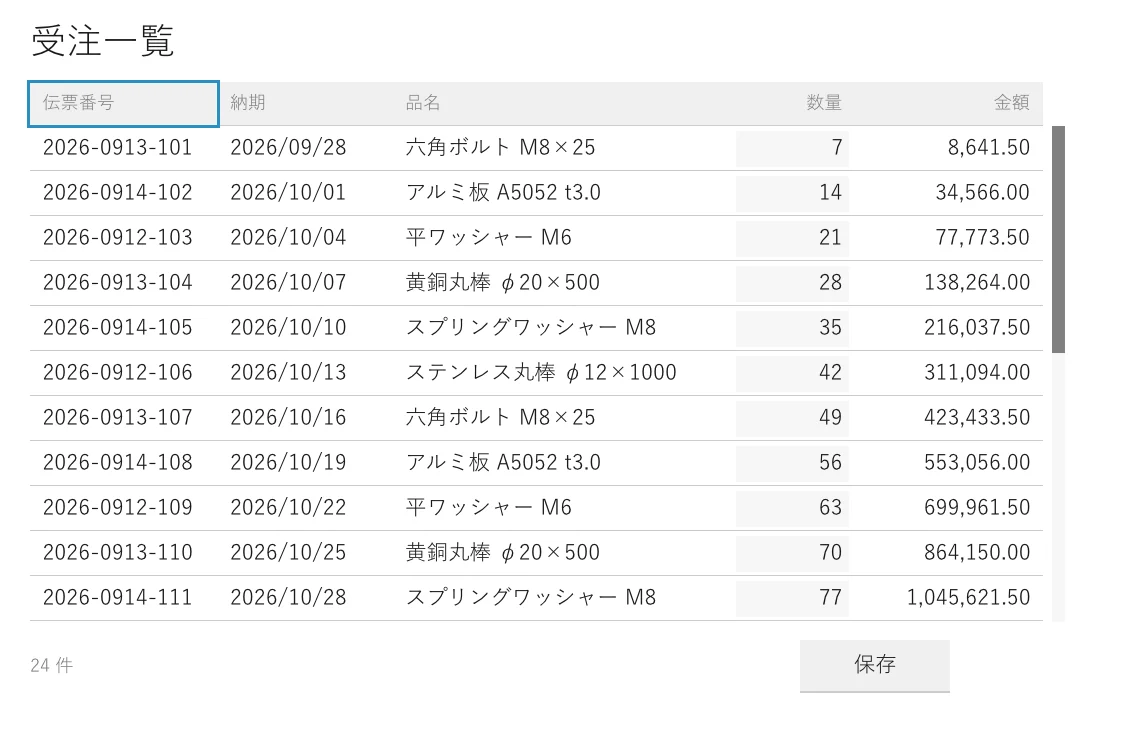
Lists, fields, buttons, check boxes, combo boxes, dates, trees, tables, dialogs, child windows: the parts a business screen needs are there from the start.
The keyboard behaves the way users of Windows business applications are used to. Tab and Shift+Tab move between fields, Space and Return press a button, and a button captioned &Save is pressed with Alt+S. Escape closes a dialog and the focus goes back to where it was before. A combo box opens on F4. The runtime does this without each screen writing it.
A screen's program only answers what to draw; the runtime draws it. Whatever answers the same as before is not drawn again, so however many rows there are, only the rows that changed are drawn.
Mistakes Found Before It Runs
Not one type needs to be written; all of them are inferred. And mistakes like these are found before the program starts:
- a press sends a message the receiver cannot handle
- after a screen changes state, a message arrives that only the previous state accepted
- a screen written so that while it waits it takes no click and no key
- an amount divided without saying the scale and the rounding
Business screens are changed for years after they are written. When someone changes one place, what that breaks elsewhere is found on the developer's desk, not the user's.
The VS Code extension runs the same checks as you type. Since types are not written, hovering shows the inferred type and where it was settled.
Money and Dates, Correct from the Start
A number written 1234.50s is an exact decimal (Decimal), not binary floating point. Dividing one always names the scale of the answer and the rounding, so whether it rounded half up, truncated or rounded half to even stays written in the code. On a screen, grouped writes it in thousands.
A date (Date) is a day on the calendar, untroubled by times and zones. A month after January 31st is the last day of February. Fractions in JSON are read without losing digits, and values go to and from the database with their types.
Japanese, Handled Properly
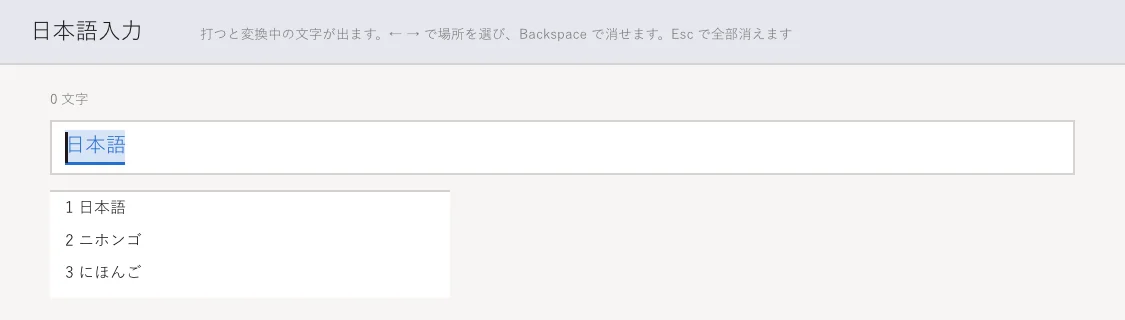
The composing text and the candidates of a Japanese input method appear at the caret inside the field. A multi-line box wraps without starting a line with characters that may not start one (、。」 and the like). The font is Yu Gothic on Windows and Noto Sans CJK on Linux.
Screens That Keep Moving, Written the Same Way
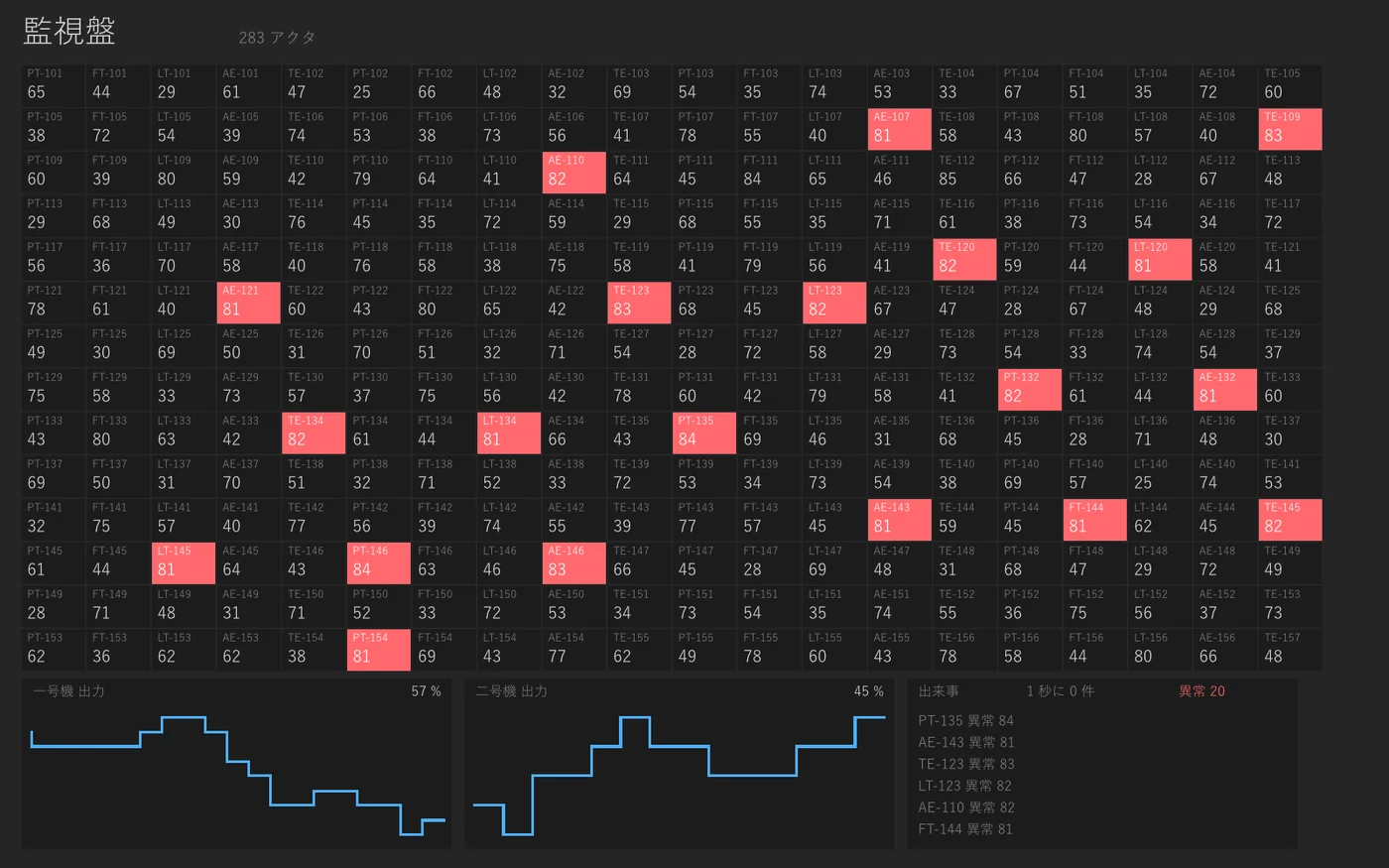
Each reading on a monitoring wall, each aircraft on a map, can be written as something that moves on its own (an actor). The wall above has 280 readings, each changing at its own interval. No thread, no lock and no clock driving the whole is written. A frame draws again only the readings that changed.
If one actor fails partway through its work, only that actor stops, and the program goes on. Another actor is told, and can set things right.
Work that waits, such as the network or a database, can be put on another thread. Saying where is all it takes; the code that sends to it does not change. The screen does not stop while it waits.
Example: The Haneda Airport Screen
The Haneda airport screen in the picture at the top of this page runs in exactly this way. Over four runways and 750 taxiways, aircraft taxi, take off and land.
Every aircraft is an actor. An aircraft's position and its phase -- parked, taxiing, holding for take-off -- are held by that aircraft's actor alone. It waits a little, sends itself a message for its next step, and moves when it receives it. Each aircraft moves at its own interval, so there is no clock driving all of them and no loop over a list of aircraft.
The runways belong to the tower's actor alone. On an airport, a runway is what only one aircraft can use at a time. Who is using it and who is waiting exist only in the tower actor's state. At the holding point an aircraft sends the tower a request. The tower answers with a clearance if the runway is free, and otherwise puts the aircraft in the queue. When an aircraft leaves the runway and says so, the clearance goes to the aircraft at the head of the queue.
There is no lock here. The tower handles its messages one at a time, so it cannot clear two aircraft at once. A queue forming is only a clearance that has not been sent yet.
Every aircraft tells the tower where it is, every time it moves. The tower knows where everyone is, and answers "stop" to an aircraft with another close in front. No aircraft goes looking at another's position.
The radio in the bottom left is the real traffic. When the tower takes a request, and when it clears or holds an aircraft, it sends the same words to the radio's actor in the same handler. Nothing is written just for the display; what is shown is what actually passed between the actors.
Only the aircraft that moved are drawn again. The screen hands the map, each aircraft, the radio and the tower's panel each to its own actor. An aircraft standing still, and the map, answer the same as the frame before and are not drawn again.
The screen uses nothing special. It is written with the same mechanisms as a business list or an entry screen.
Easy to Ship
lp9 build makes one native executable. On Windows the SDL3 DLL goes beside it, and nothing else: no language runtime has to be installed on the user's machine.
- Started from Explorer, it opens no console window. An unexpected error is shown in a message box.
- The icon is embedded in the executable.
- The window's position and size can be remembered and restored the next time.
- Tools that sit in the tray and come up on a hotkey can be written.
- Several tools can be put in one executable.
Screens Checked Without Opening a Window
A screen program can be given clicks, keys, typed text, even an input method halfway through a conversion, as arguments, and write the frame it drew to an image. A screen's behaviour can go into automated checks without anyone operating it.
While writing, it runs at once in the interpreter; to ship, it is built native. The two give the same answers, and the conformance run executes every program both ways and compares the output byte for byte.
Databases and Networking, Built In
SQLite, PostgreSQL, MariaDB and MySQL, HTTP, TLS, JSON, MessagePack, regular expressions, files and child processes, with no extra libraries. SQL parameters are passed by name, and a misspelt name is an error rather than a silent NULL. Two-way SQL, with its conditions written in SQL comments, is there too.
What It Looks Like
A screen whose number grows each time the button is pressed:
imports: (Ui, Theme).

Object subclass: #Bump fields: ().

Actor subclass: #Counter fields: (n).
Counter class >> start = Counter fields: { n: 0 }.
Counter class >> title = 'Counter'.
Counter class >> width = 320.
Counter class >> height = 160.

Counter >> theme = Theme day.
Counter >> Bump = self copyWith: { n: n + 1 }.

Counter >> view = Paint group: #[
        Paint rect: 0 y: 0 w: 320 h: 160 color: #paper,
        Paint move: (Paint column: #[
            W label: ('pressed ' , n asString , ' times'),
            W gap: 20,
            (W button: 'Press' wide: 120) on: #click send: Bump ] gap: 0) x: 24 y: 28 ].
The screen's state is n and nothing else. Pressing the button sends a Bump, Counter >> Bump answers the next state, and the screen is drawn again from it. Clicks, keys, answers from the network and ticks of a clock all arrive this way.
More on writing it is in Design, Screens and Actors.
Where It Runs
Windows and Linux on x86_64. One executable, lp9, is the interpreter, the builder, the language server and the debugger. A VS Code extension comes with it.
LP-9 is the desktop version of Lambda Prelude, the language for resident server-side services. The language is the same, so the server side and the screens are written with the same ideas. For screens in a browser there is LPScript.
Licensing & Engagement
LP-9 is proprietary software, all rights reserved. Copying, modification, or redistribution of any part of LP-9 requires the prior written permission of Lambda LLC. It is not open source.
Binaries (lp9 itself, the standard library, and the editor extension) are provided free of charge, strictly as-is, with no warranty and no liability of any kind. You may evaluate and use the binaries at your own risk; we do not guarantee fitness for any purpose, do not provide support unless separately contracted, and accept no responsibility for damages arising from their use.
Source code is disclosed only to partner companies that have signed an NDA — the NDA and the accompanying agreement constitute the "prior written permission" required by the license. Source access is bundled with a paid engagement (joint development, customization, integration); it is not sold as a standalone product.
If you are evaluating LP-9 for a product or production application, please get in touch. We typically engage in one of three ways:
- Joint development — we build desktop business or monitoring screens alongside your team, including replacing the screens of an existing system.
- Customization — shared widgets and colour schemes for your screens, and connections to your existing databases and services.
- Source disclosure under NDA — full source access for in-house extension, audit, and long-term maintenance.
Contact: Lambda LLC